When someone needs a plumber, the first look happens on a map.
They search, and the first thing Google gives back is a map with a row of listings under it: the plumbers around them, laid out the same way, each with a rating, hours and a way to get in touch. That row is where the comparing happens — before a website or a Facebook page gets a look-in. Every iPhone has the same row in Apple Maps, and most plumbers have never set foot on it.
This chapter is about those two listings: what they hold, why the small things in them decide so much, and why, once they're set properly, they stay set.
What a customer sees first.
Here's a search for a plumber in Earlwood, from the customer's side. Three screens, in the order they come.
add Website + Schedule
the missing one is Website
A specimen business — not a real customer. We keep real setups private.
Your Google listing, section by section.
Google gives every business the same set of fields, and shows all of them to the customer whether they're filled in or not. Most plumbers set the name, the number and the hours and leave the rest, which is why so many cards in the row look the same. Here's what the rest is, what we set it to, and what each one does for the person reading it.
- The category. Google files you under one primary category, and it's the first thing it reads when deciding which searches to show you in. Plumber. Not “plumbing contractor”, not “emergency service”.
- Services, each with a description. Blocked drains, hot water, gas fitting, leak detection, listed one by one with a couple of sentences each, so a search for “hot water repair earlwood” finds you, and the customer sees the job they've got is one you do.
- Hours, the real ones. Including the after-hours ones if you do them and the days you don't. Google prints “Open now” or “Closed” beside your name on every card, and a customer at 7pm reads that before anything else.
- The booking link. The field that puts a book button on the card next to call, the one the card under yours had. Most listings never set it. What it opens is the next chapter.
- Photos, sorted. The logo and the cover where Google expects them, and the job photos you already have arranged so the first thing a customer sees isn't a grey square.
- The description and the attributes. A few plain sentences about the business, in your words, and the boxes Google lets you tick: on-site services, online estimates, and the rest. Small things a customer reads as a business that's on top of it.
- The links. Website, Facebook, Instagram, all on the listing, so someone who wants to look further can, and so everything you're on points at everything else.
- The service area. The suburbs you actually cover, so Google shows you in those and not in the ones you'd never drive to.
The other map, and everything else you're on.
Every iPhone has a second map. Apple Maps is what Siri answers from, what CarPlay shows, and what opens when someone searches in the Maps app instead of in Google — and it keeps its own listing for your business, separate from Google's, that most plumbers have never set up. So the row on that map shows whoever has. Getting on it properly is mostly a matter of doing it once: the listing claimed in your name, verified, and carrying the same details, photos and buttons as the Google one.
Then everything else you're on gets tied together. The same name, number and hours on the website, the Facebook page, the Instagram and both maps, and each of them linking to the others: the website carries the listings and the socials, the socials carry the website, the listings carry all of it. A customer who checks you in two places finds the same business in both, and Google reading across them finds one business rather than three that half-match.
Both maps, before and after. On the left, a listing with the usual gaps; on the right, the same business with everything from the last two sections set. Put your own details in if you like.
See your map listing — before & after.
Plug in your details and tick what you’ve got now. Watch your own listing build live — the silent fields most plumbers never fill in are the whole difference. Flip between Google and Apple.
Kilminster Plumbing
Showed up and fixed the leak. Bit hard to get hold of after, but the work was fine.
Did the job okay. Took a few days to call me back to book it in.
Kilminster Plumbing
 +62
+62Booked online Sunday night, came Monday morning. Hot water sorted in an hour — couldn't fault them.
Thanks Sarah — glad we got you back up and running so quick!
Quoted on the spot, no surprises on the invoice. Tidy work and easy to deal with.
Appreciate it Michael, cheers for the trust.
Great work on the bathroom — on time, and cleaned up after themselves.
Thanks Em! Enjoy the new bathroom.
What people try first.
Plenty of plumbers have had a proper go at the online side. Posted every week, kept a page going on three platforms, paid for a month of ads. That's real effort, and it's the effort everyone tells you to make. It's also the kind that has to be kept up, every day, on top of the actual work — and most people can't, which isn't a failing. It's a second job.
Everything in the sections above is the opposite kind. It's set once, it doesn't need feeding, and it sits in the row where the comparing happens. A listing with every field filled in does more for a customer deciding at 7pm than a year of posts. Finding every one of those fields, on every place you're on, and setting them, is the job.
Mostly our work. Barely any of yours.
No two listings arrive the same. One was set up by a web guy years ago who still holds the login. One is verified to a number that no longer rings. One has a duplicate quietly splitting the reviews, and one is on Apple Maps already, under nobody's name. Google and Apple each have their own way of checking a business is real, and each has its habits. Working out the right order for yours is the part of the job we're good at, and you'll hear the specifics when we talk, because they're different every time.
Your part is small.
Your details, once. A couple of confirmations only you can click. Everything else, including the waiting, is ours — and everything we set sits in your own Google and Apple accounts, with any access we had handed back at the end.
The questions we get, answered.
I'm already on Google. What's left?
Usually most of it. A listing that's claimed and has a number on it looks done from the inside. From the customer's side it's the category, the services, the hours, the booking link, the photos and the links out that fill the card, and it's rare for more than a couple of those to be set. The list above is the full one.
It's already claimed by a web guy I can't reach.
Common, and fixable. We request access through Google in your name; Google gives the current owner a window to respond, and if they don't, it comes to you. It's the slowest step there is, so it's the first one we start. Either way the listing ends up in a Google account you control.
What's this video verification?
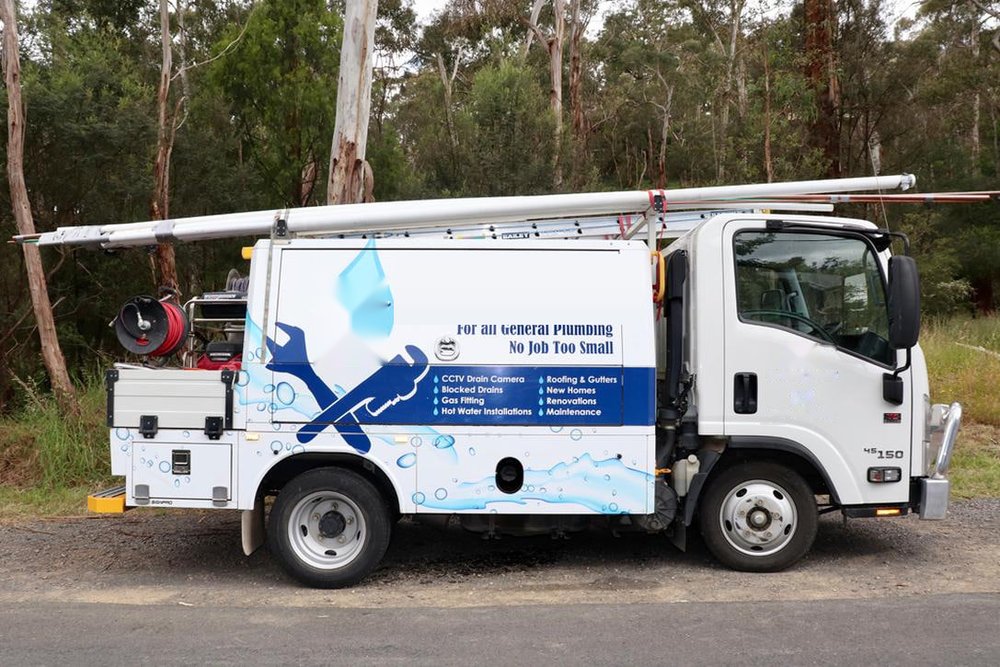
Google's usual way of checking a business is real: a short clip of your van or premises with the signage on it, a look inside, and your phone showing the account you're using. We tell you exactly what to film before you film it, so it goes through first time.
Is Apple Maps worth the bother?
It's the map on every iPhone, and the one Siri and CarPlay answer from. Once the listing is set up it needs nothing from you, and the alternative is the row on that map showing the plumbers who did set it up.
Do you own my profile afterwards?
No. It lives in your own Google account, the Apple listing in your own Apple ID, and we hand back any access at the end. If you stopped using us tomorrow, nothing would break.